Jobs: Create vacancies Edit/Filter
About Course
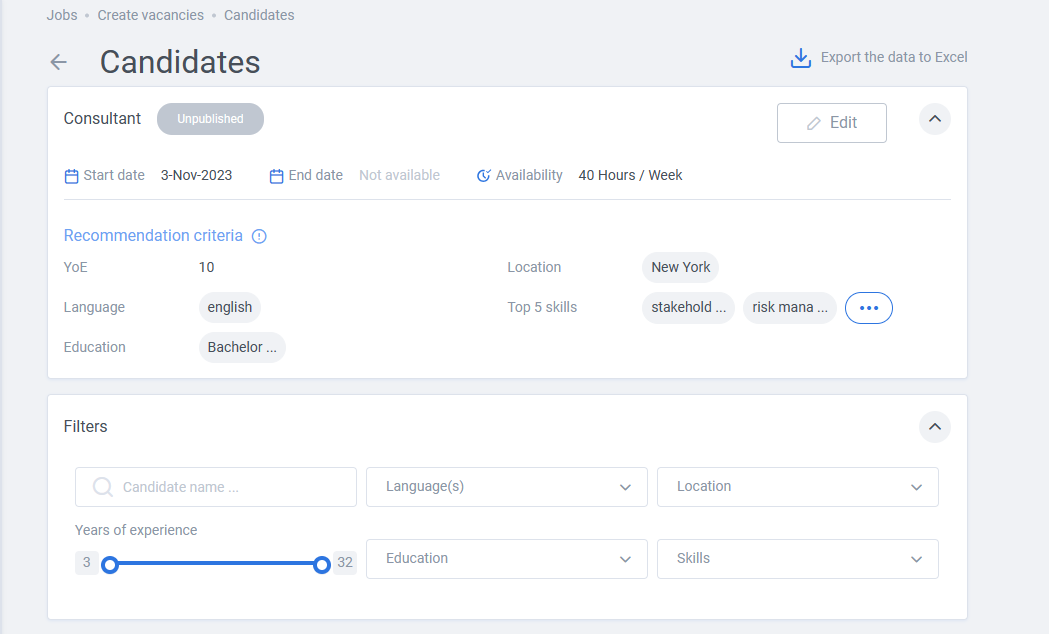
After creating a new vacancy and defining recommendation criteria, there is two options:
- Edit criteria
- Filter result
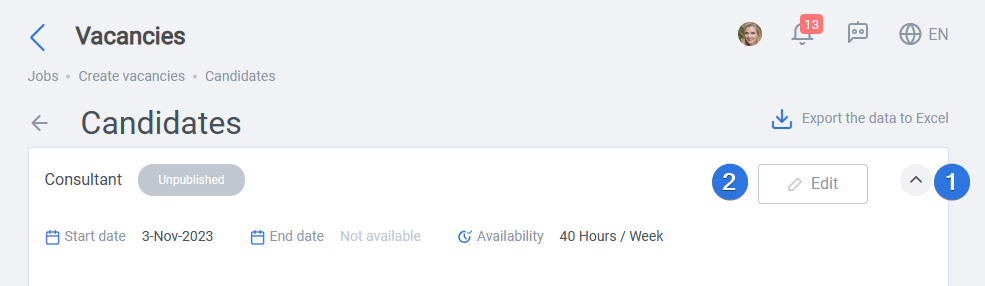
Editing criteria, where all of the mandatory properties can be changed, will also change the AI recommendations accordingly in real-time. To start, click on the vacancy title >> Click on “Edit” button.
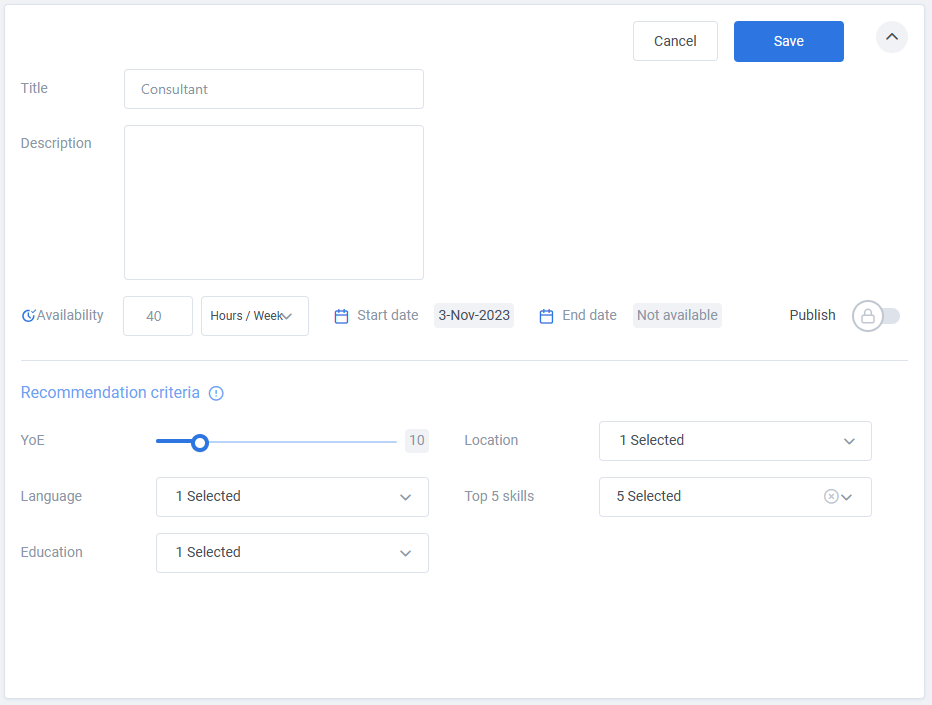
As seen below, properties can be changed as needed:
Apart from editing the properties, Filters section can be used to filter result more efficiently, as seen in the next image:
