Activities: Details about Candidates
About Course
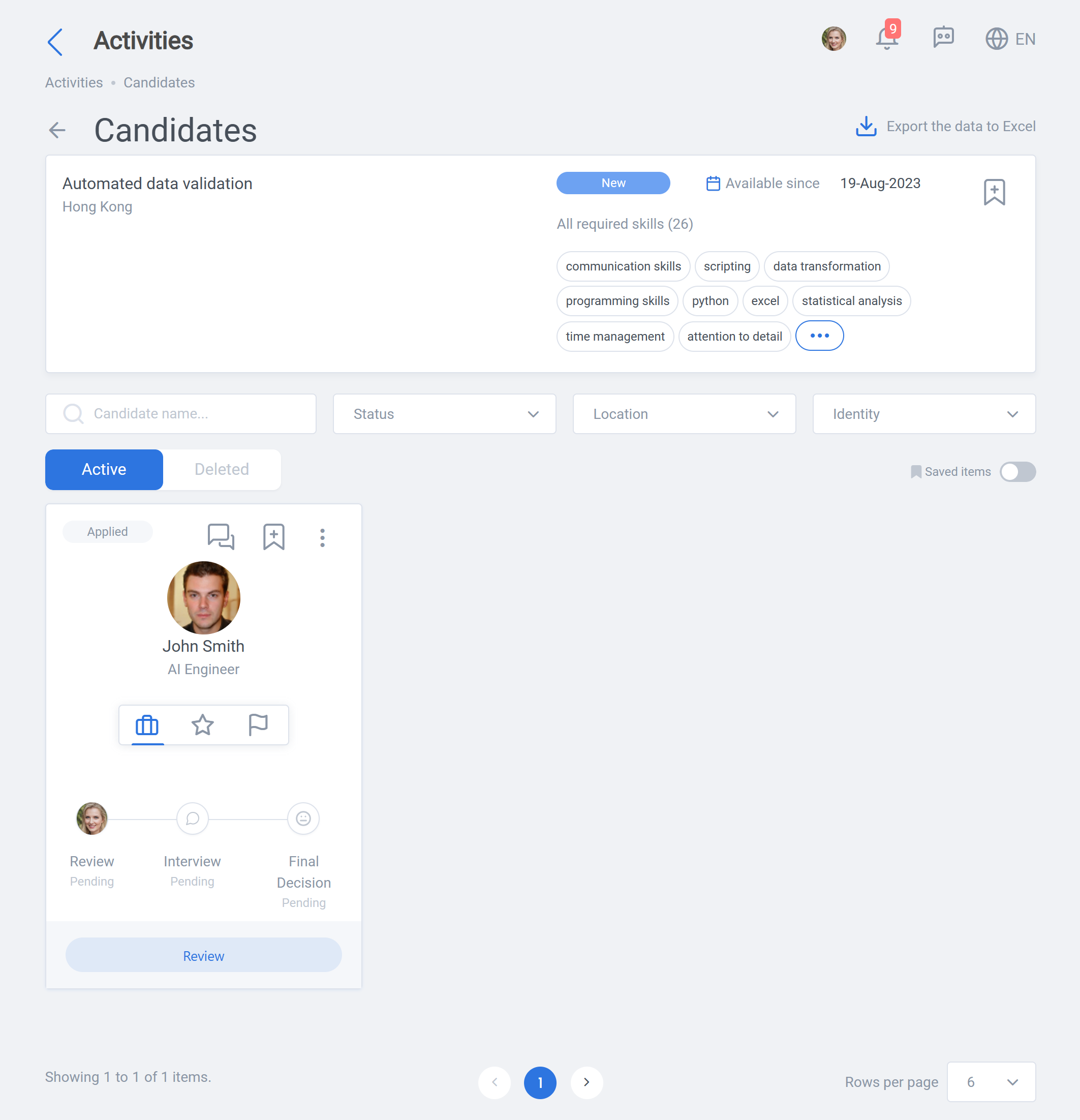
When candidates apply for an activity, this page allows the hiring manager to view details about the project and its candidates.
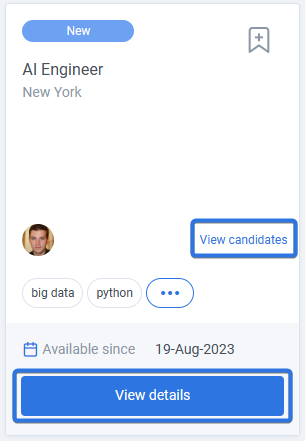
It can be accessed by clicking on “View candidates” (if there are any) or “View details” on candidate cards, when in Activities page, as seen below:
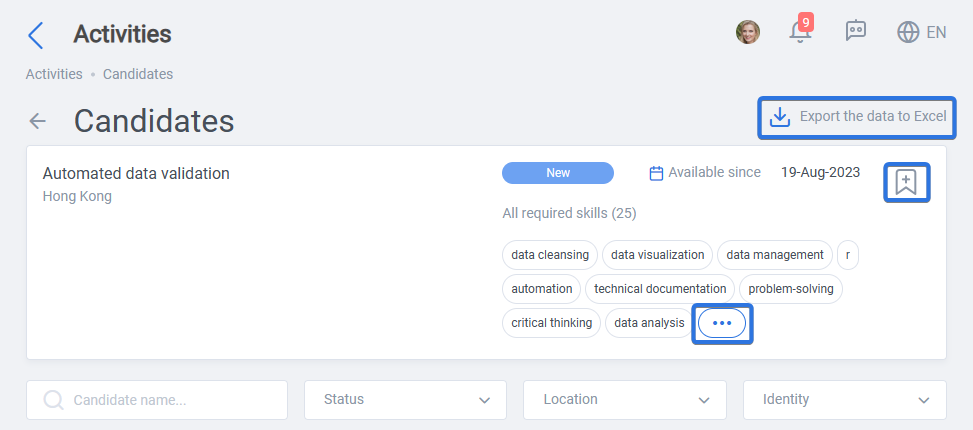
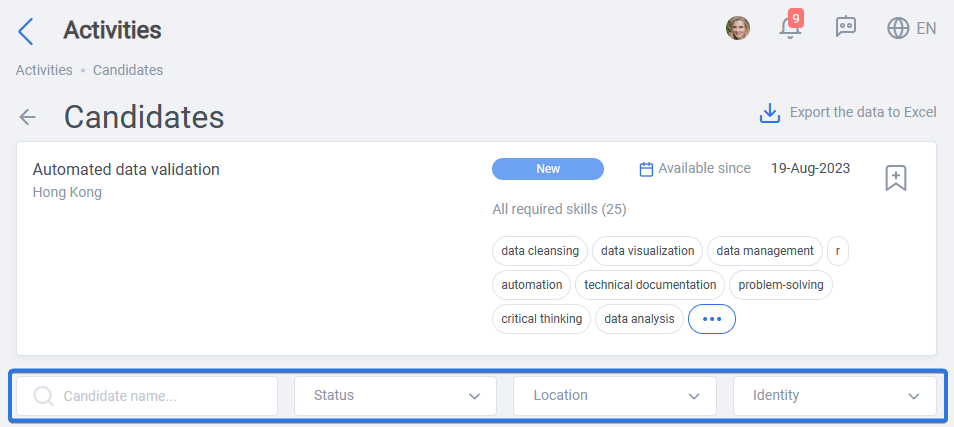
It is possible to bookmark as well as review the skills of the project. In addition, a list of the candidates can be exported into an Excel file if preferred. Please see below:
In addition, for an efficient selection process and a better overview, it is possible to use the filters: Candidate name, Status, Location, and Identity.
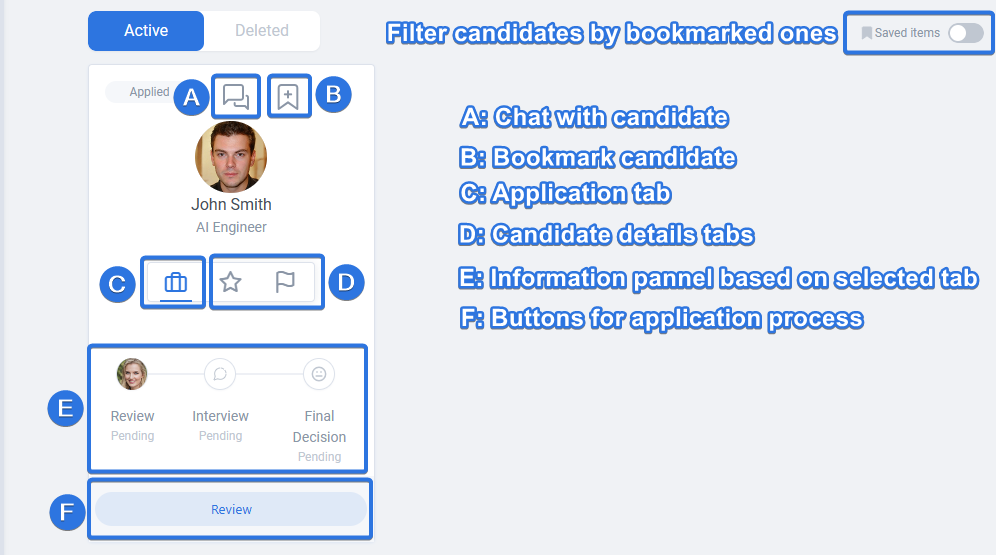
On each candidate card, there are options to chat with the candidate, bookmark it, view application and candidate details and also go through the different application stages. Using “Saved items” switch, it is also possible to filter candidates by bookmarked ones.