System setting: Application setting
About Course
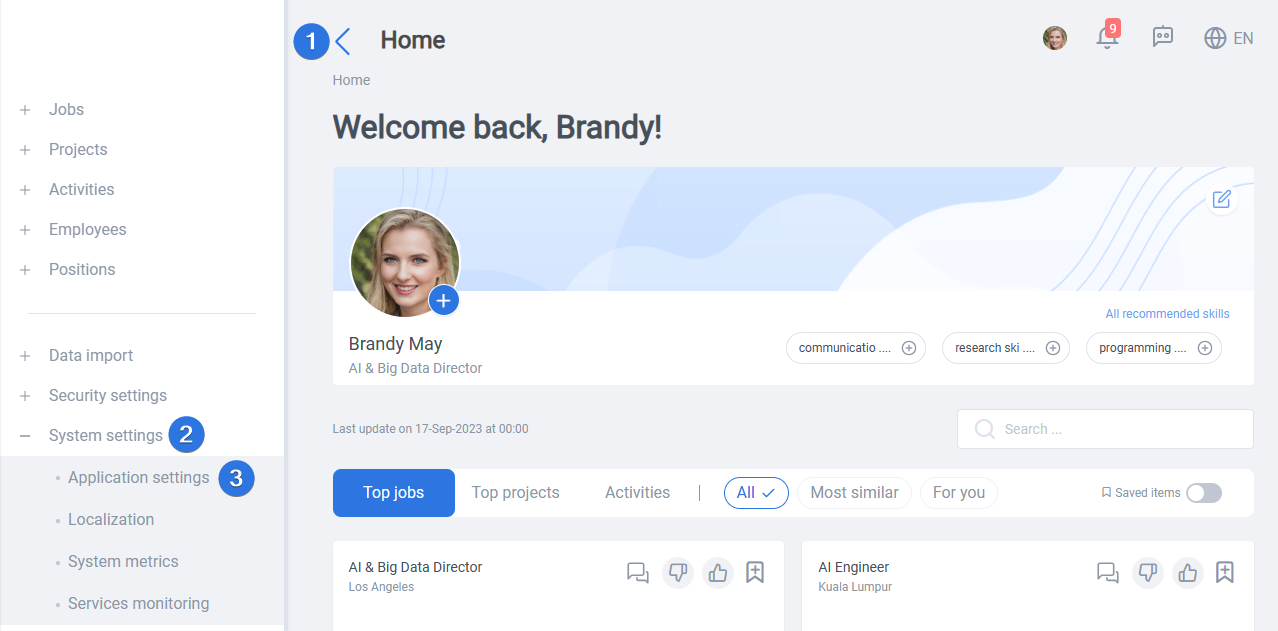
Application setting can be reached by opening the side bar >> System settings >> Application setting, as seen below:
In application setting there are three main tabs:
- Main setting
- Timeout session
- Maintenance mode
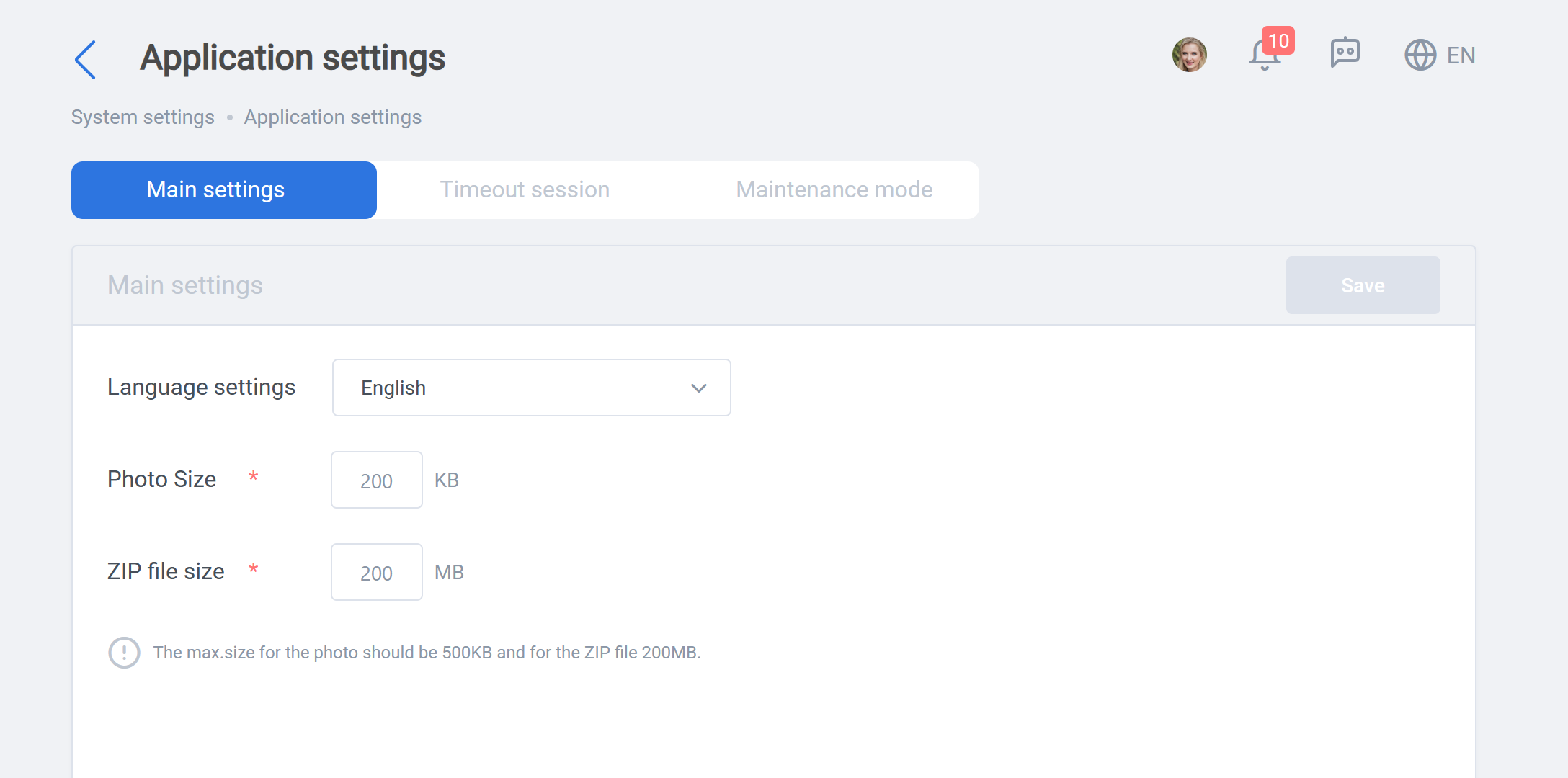
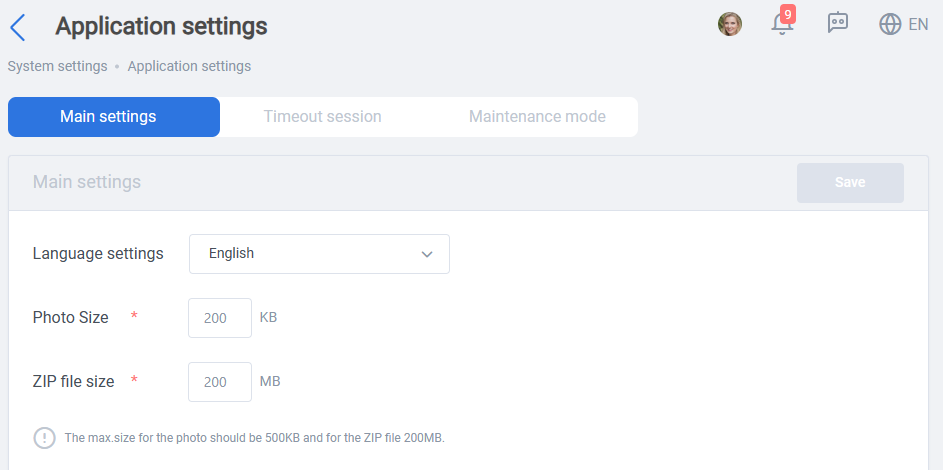
In “Main setting” tab you can change system default language, maximum size for photos and Zip files uploaded, as you can see below:
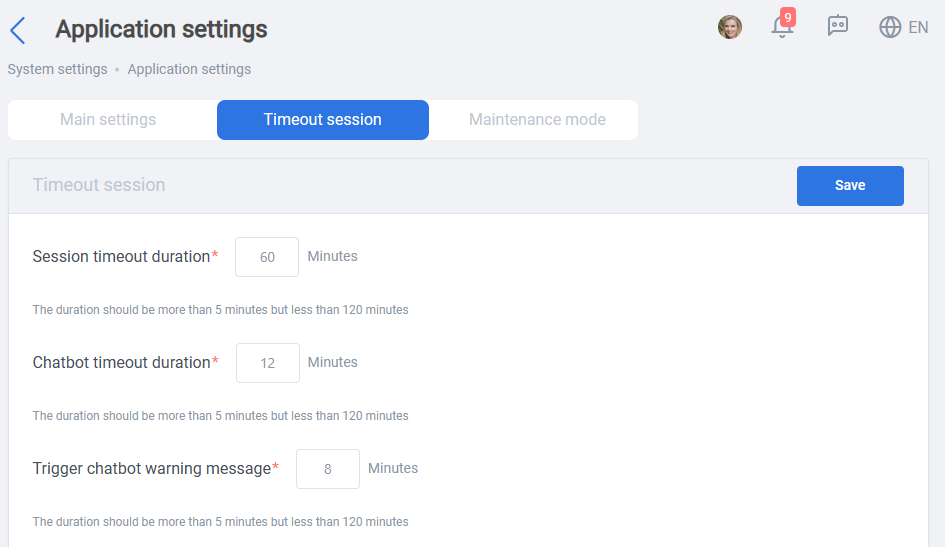
In “Timeout session” tab, you can change the duration for session timeout after logging in. Also, you can set CX Copilot timeout duration and when the warning for CX Copilot timeout should be displayed:
“Maintenance mode” tab lets you reset all application procedures, regenerate new JPA (job, project, activity) recommendations, and regenerate all candidate recommendations. Note that JPA (jobs, projects, activities) and candidate recommendations are generated periodically in ConneXing, these two buttons help with regeneration out of the normal loop:
WARNING: Application process “Restart” will restart all of the systems applications on process or finished, so use it wisely and remember to be in touch with all HR and Managers.
