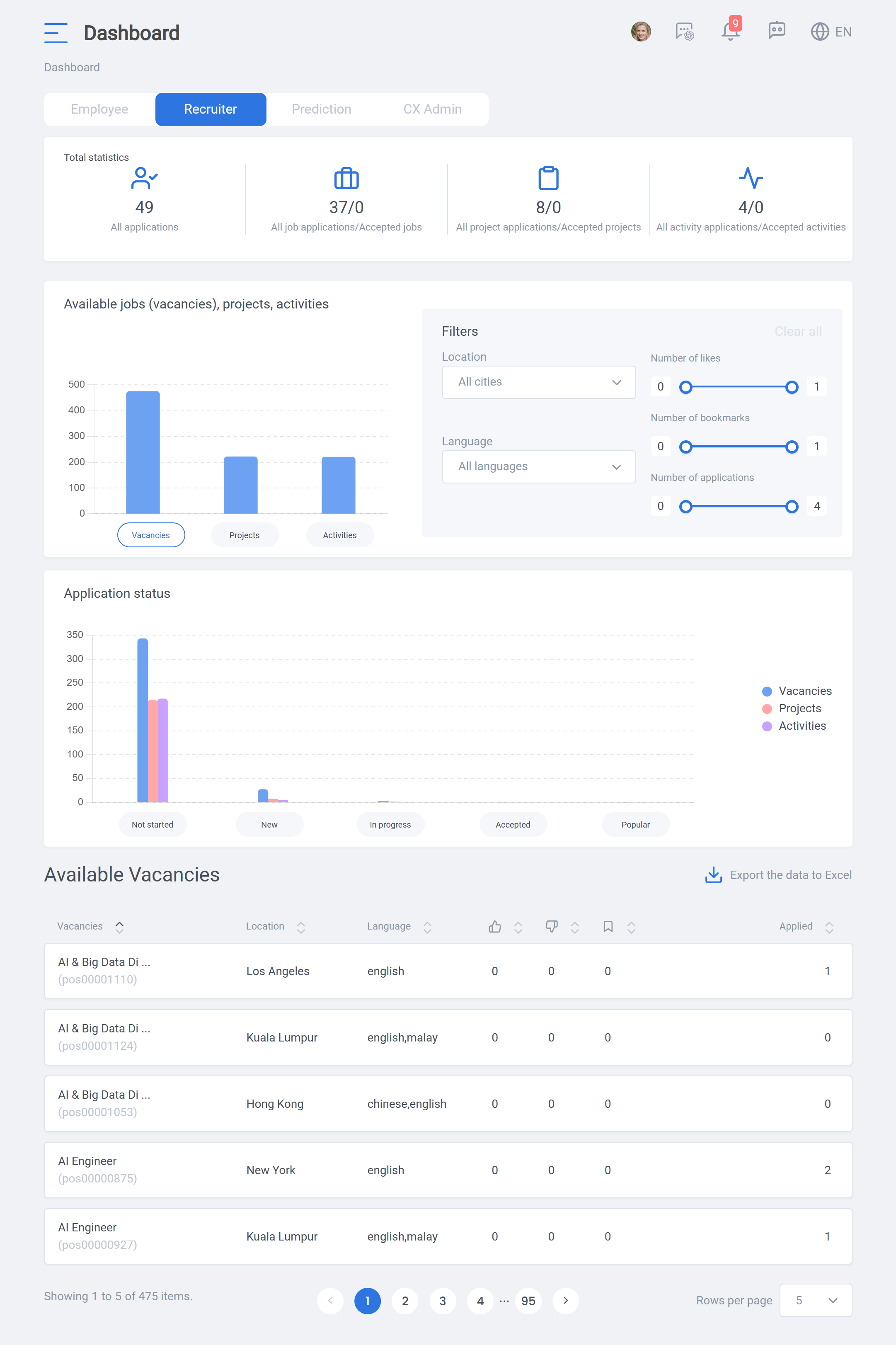
Dashboard: Recruiter
About Course
The “Recruiter” page is a great tool for all hiring managers and recruiters. This page offers a straightforward overview of the applications for jobs, projects, and activities.
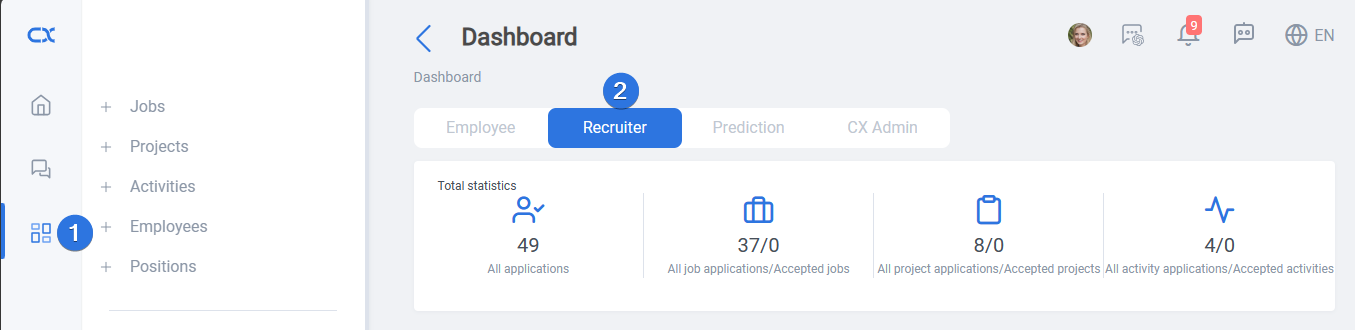
Recruiter dashboard can be accessed by clicking on the left bar dashboard icon and going to “Recruiter” tab, as seen below:
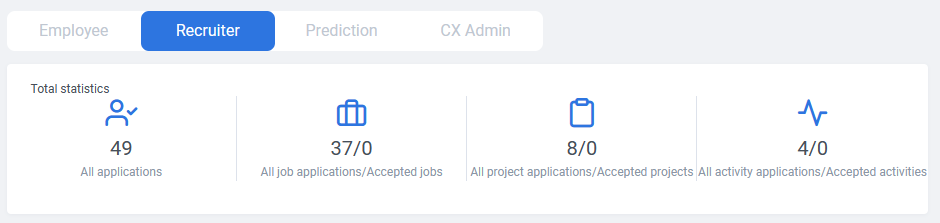
The bar at the top shows statistics on total number of applications and how these are divided into jobs, projects, and activities and their accepted ones.
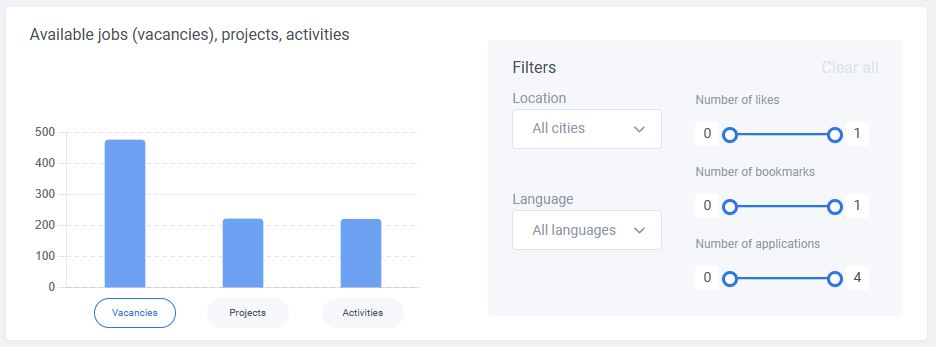
First graph shows the number available vacancies, projects and activities for the employees to apply for. It is possible to set filters for “Location”, “Language”, “Number of likes”, “Number of bookmarks”, and “Number of applications” to refine the results.
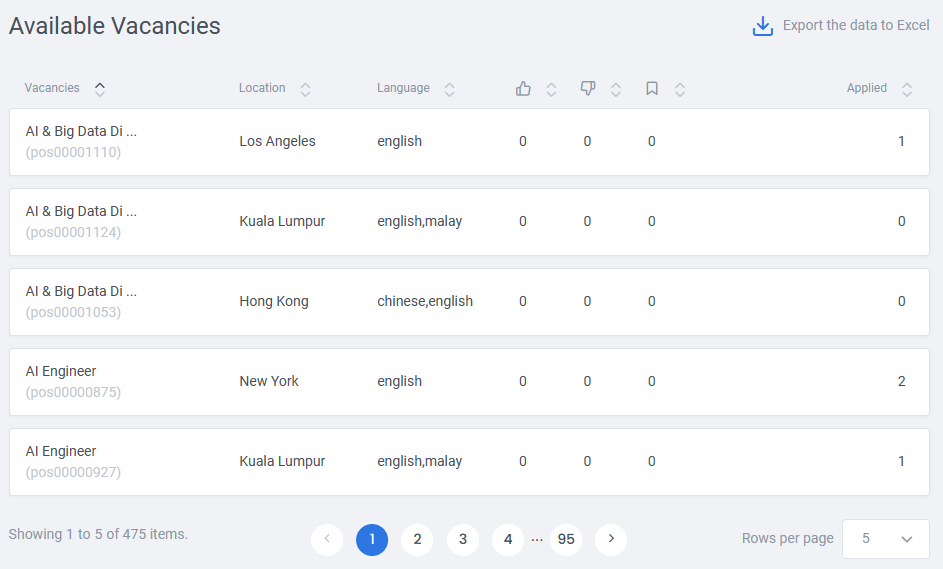
Detailed list of the selected vacancies, projects, and activities, according to the applied filters, can be found at the bottom of the page. This list can be sorted by each column and also exported to Excel:
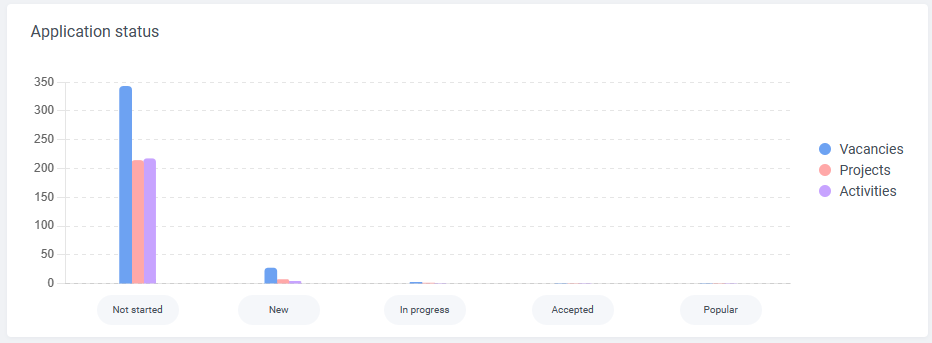
The second graph demonstrates the application divided by their types and their state in the application process: