Data Import: Flow
About Course
As the name suggests, with data import you can import the required information about the company into ConneXing, in the form of CSV files. The process is an automatic one, only requiring the user to upload the files and hit go.
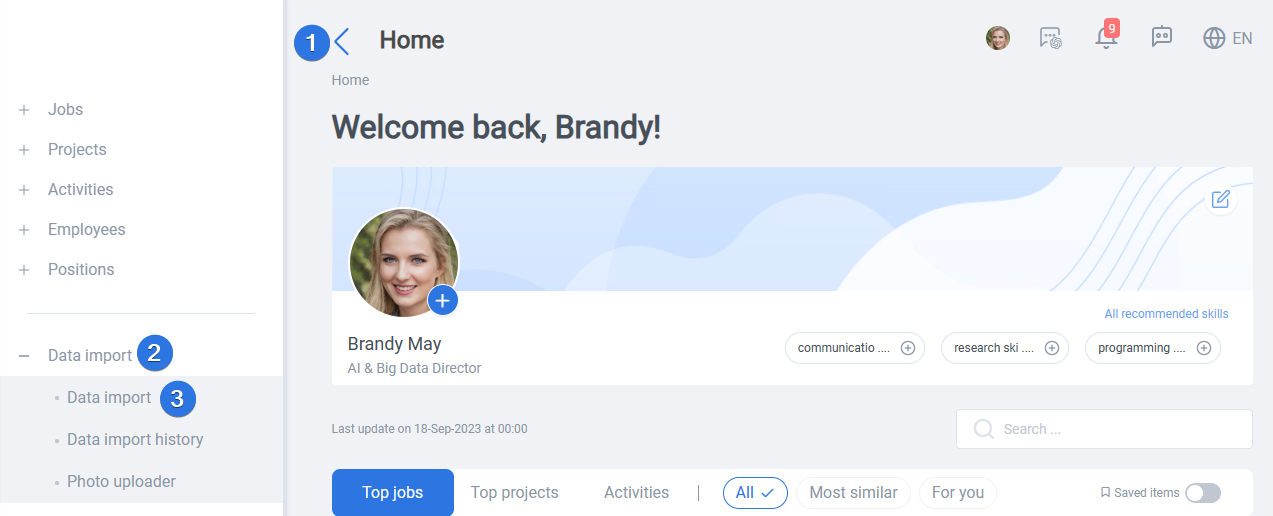
It can be accessed by opening the side bar >> Data import >> Data import, as seen below:
Data import have different tabs for different sections of the data. Among them, “Employees” and “Positions” are mandatory, and the rest are optional.

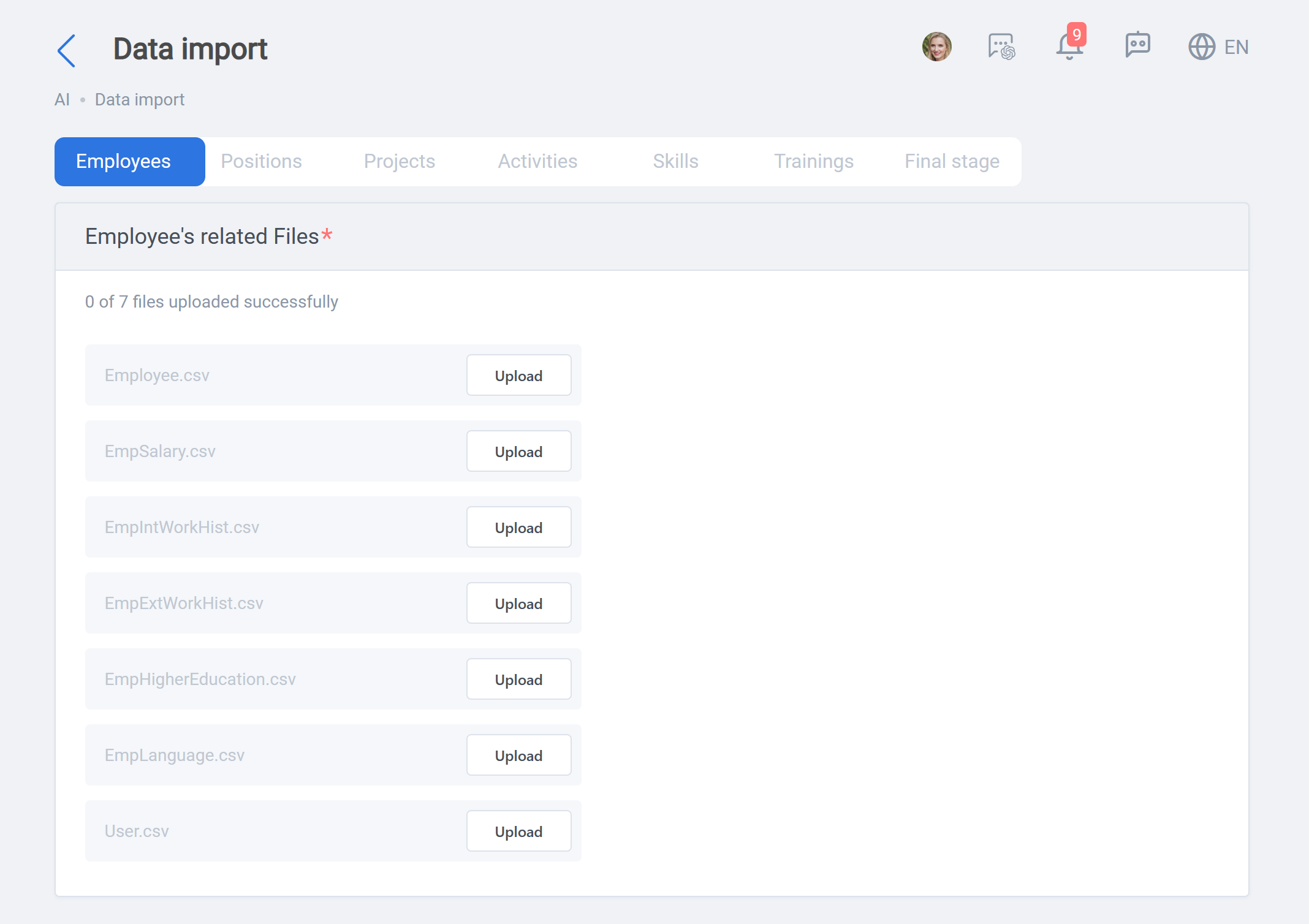
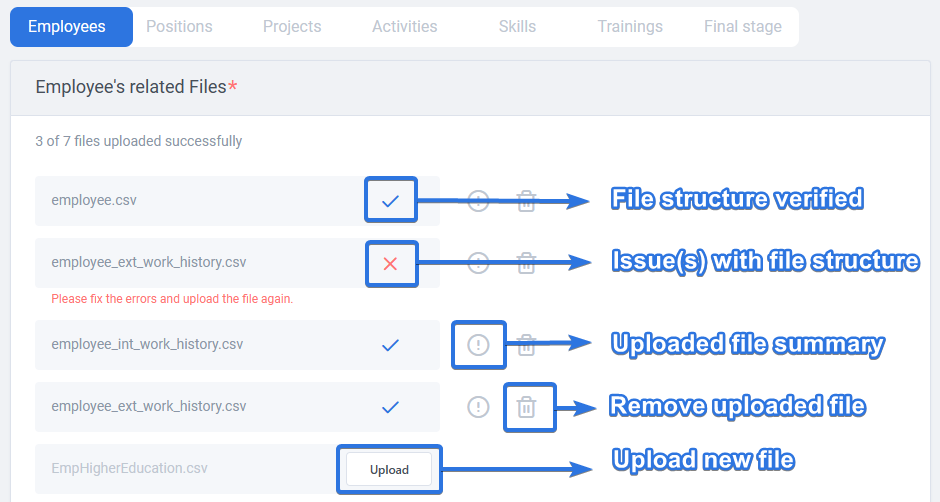
Each of the 7 tabs, include their own CSV files which can be uploaded using the “Upload” button next to its field. Once the CSV file is uploaded, an initial structure verification is done on the file, resulting in either a checkmark for OK or an error if the CSV file structure is not as expected. After uploading each file, the info button can be used for checking the file summary, and the delete button to remove the uploaded file.
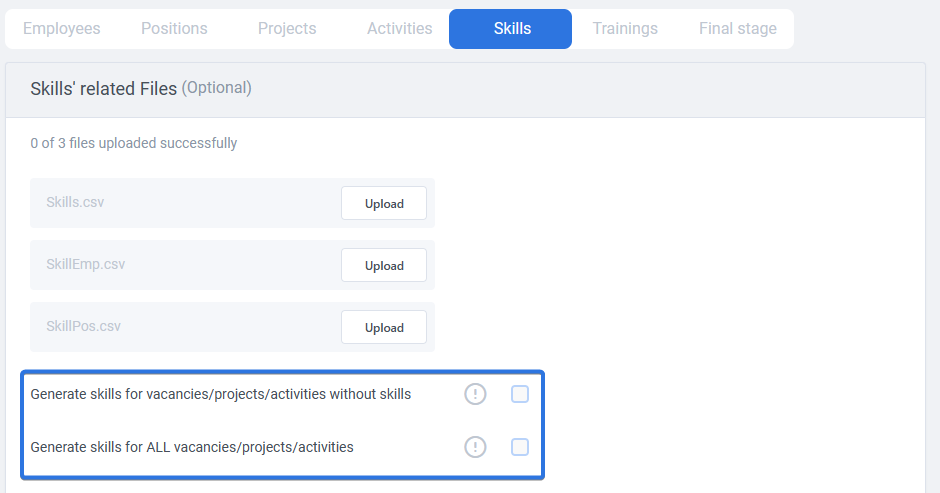
“Skills” tab is an important one. Skills of employees, positions, projects, and activities have an important role in ConneXing recommendation engines results. If this data is present, they can be uploaded here, otherwise, there is no need to worry. ConneXing has it covered. By using the either of the checkboxes at the bottom of “Skills” tab, it is possible to ask ConneXing’s powerful skill generator, to generate skills for either the position, projects, and activities without skills data or generate skills for all of them. If the uploaded data lacks skills information, or the quality of existing data is poor, make sure to check the right option.
 In Final stage there is a button named “Staging and base transfer”. If the mandatory files (Employees and Positions) are uploaded, this button will be enabled:
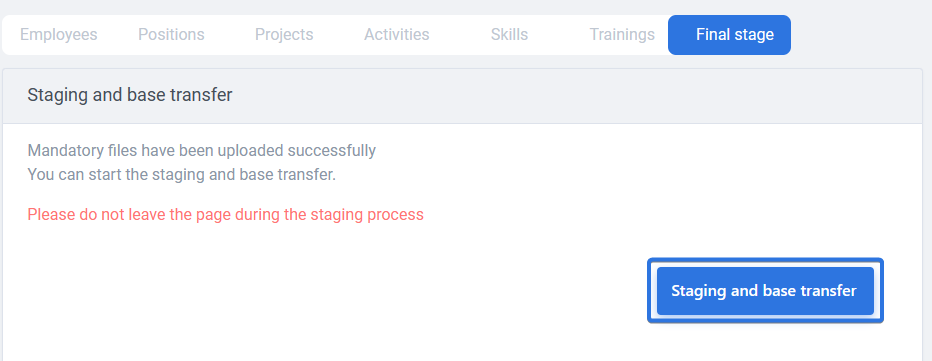
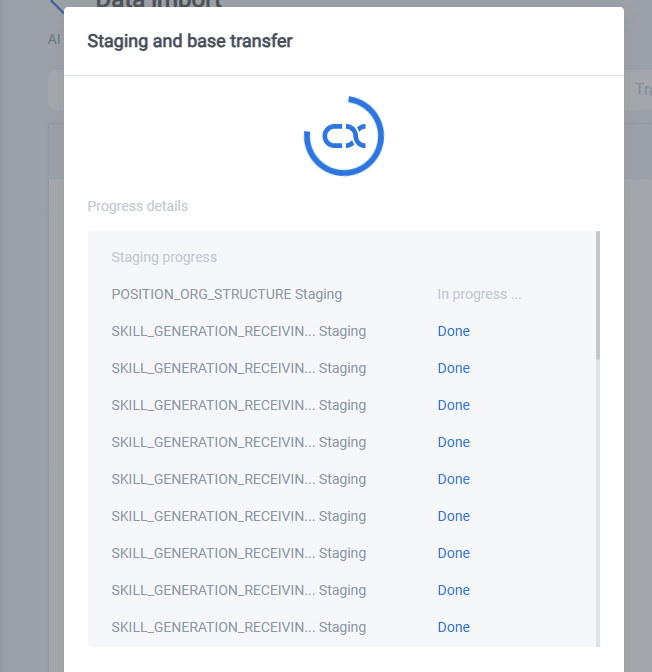
By clicking this button, you will transfer all the uploaded data to our system, and it will be prepared and distributed among ConneXing services. A modal will be opened during the data import process, indicating each step and its current status:
Once done, you will see the process completed message:
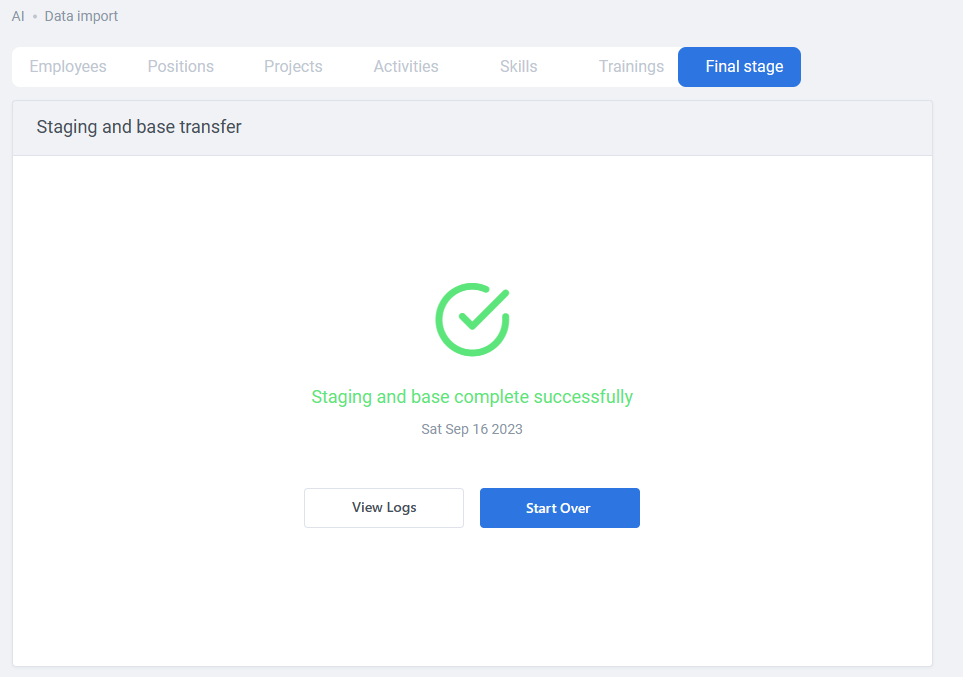
Congratulations! You have successfully imported your data to ConneXing. If anything changes with the company data, a new data import with updated CSV files, can be performed at any time.