Getting started: Edit profile
About Course
The “Edit Profile” page offers comprehensive options for managing and customizing your profile. It consists of three main tabs: Preferences and skills, Notifications, and Account settings. In addition, the “Preferences and skills” tab has three sub-tabs: Core info, Preferences, Skills.
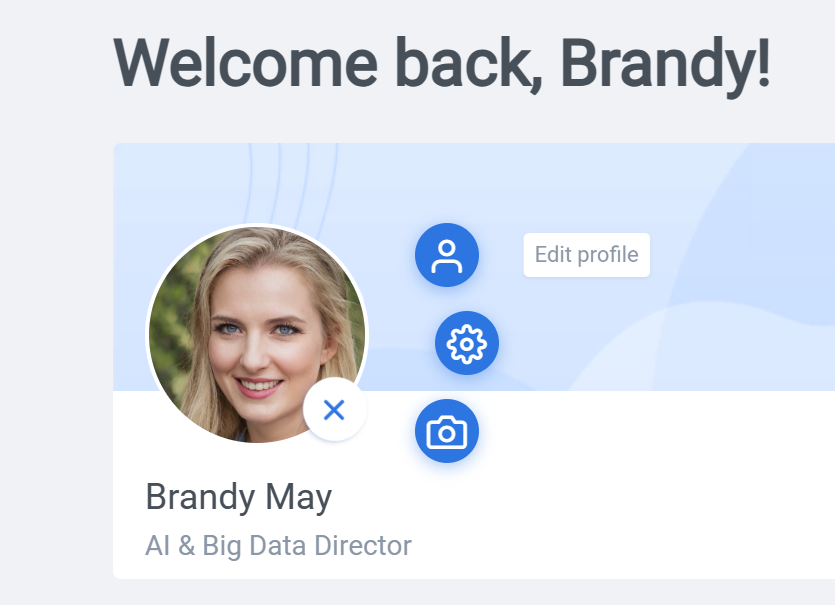
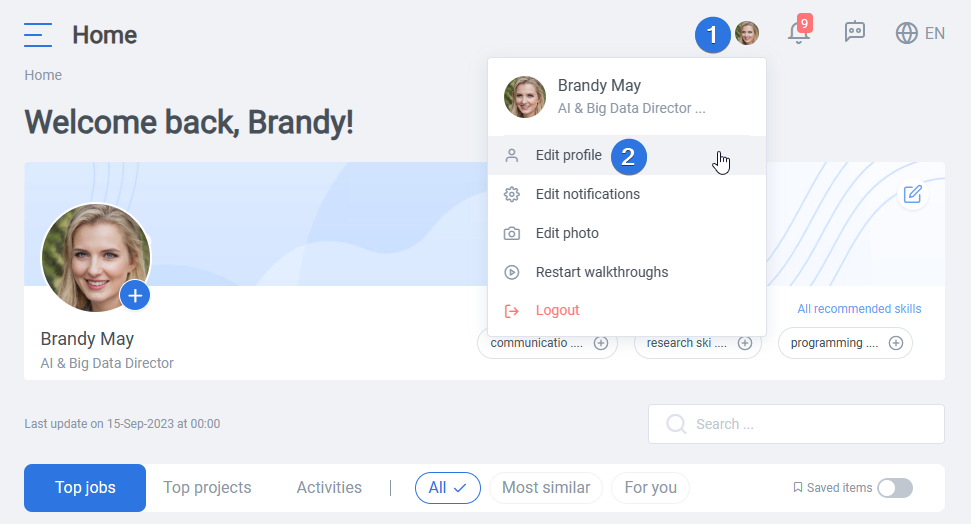
The setting page can be reached either by clicking on the plus sign on your avatar and choosing “Edit profile” as seen above or clicking on your image on top and selecting “Edit profile”.
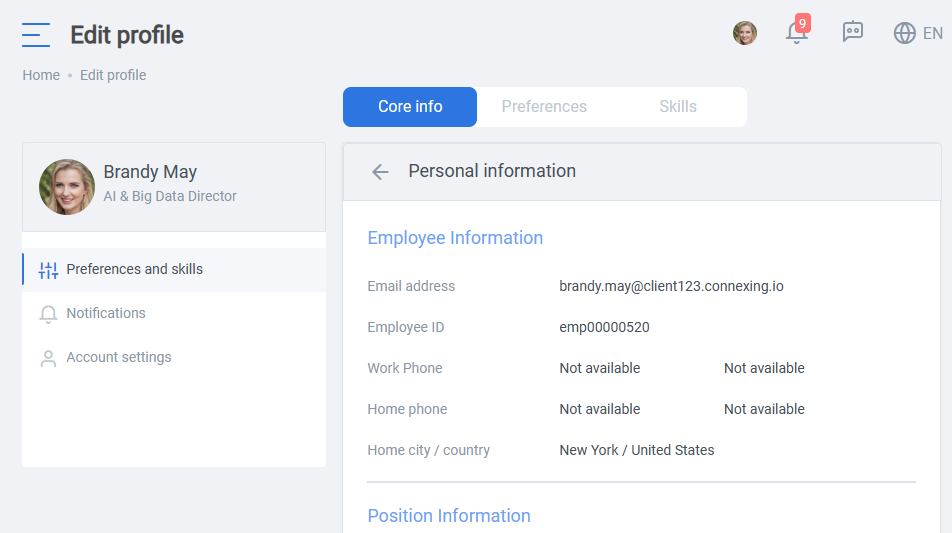
The “Preferences and skills” tab on the “Edit profile” page allows you to customize your platform experience and highlight your expertise. The “Core info” section on the “Edit profile” page provides essential details about you and your position information, offering a comprehensive overview of your profile within the organization. It includes information such as your email address, employee ID, position/job ID, manager, and other key details relevant to your position in the company.
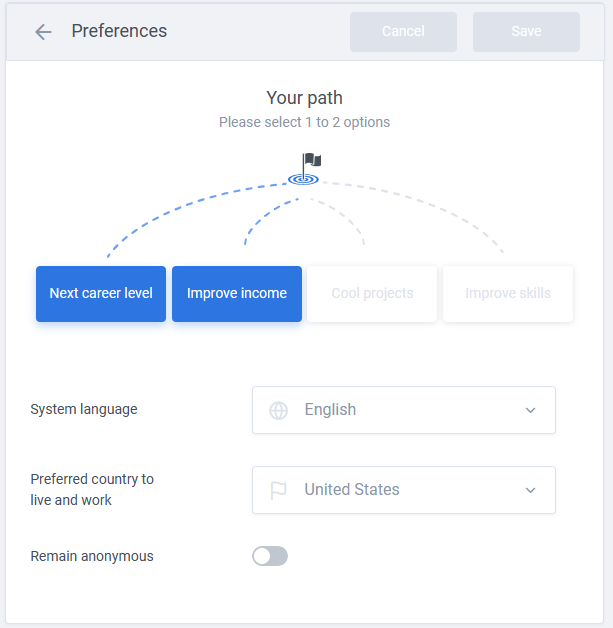
Using the “Preferences” tab, you can personalize settings such as language preferences and the preferred country to live and work in. Also, you can inform our AI configuration about your current preferred work path (goals). Finally, here you can choose whether you would like to remain anonymous when applying for jobs, projects, and activities.
By choosing the “Skills” tab, you have the opportunity to select skills that showcase your areas of expertise and professional strengths. You can tailor your profile and enhance your visibility, ensuring a personalized and effective presence on the platform.

In conclusion, the “Edit Profile” page empowers users to manage and personalize their profiles effectively, ensuring accurate information, customized preferences, and highlighted skills. By leveraging the various tabs and options available, users can enhance their visibility, tailor their experience, and showcase their qualifications within the platform’s ecosystem.