Projects: Create Projects
About Course
Managers could create a new Projects, and from within the “Create Projects”, you would create a new Project demand.
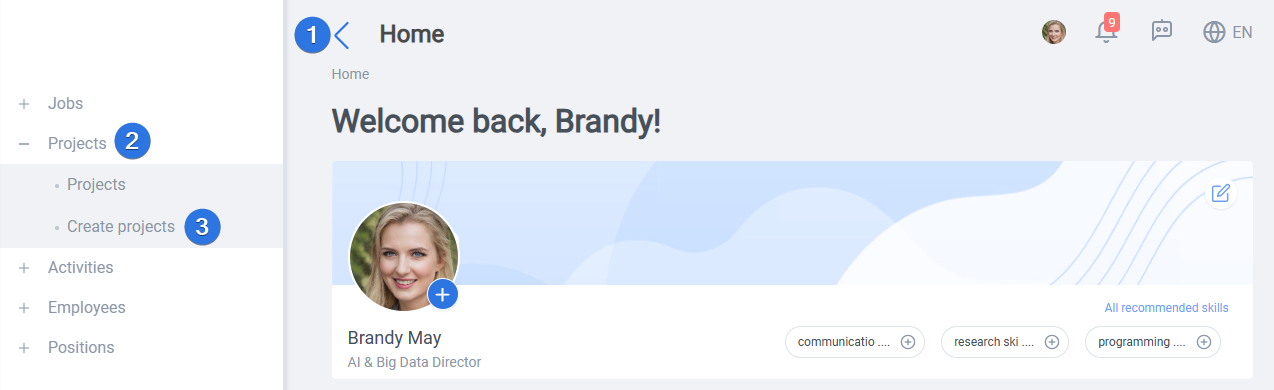
It can be accessed by opening the side bar >> Projects >> Create projects as seen below:
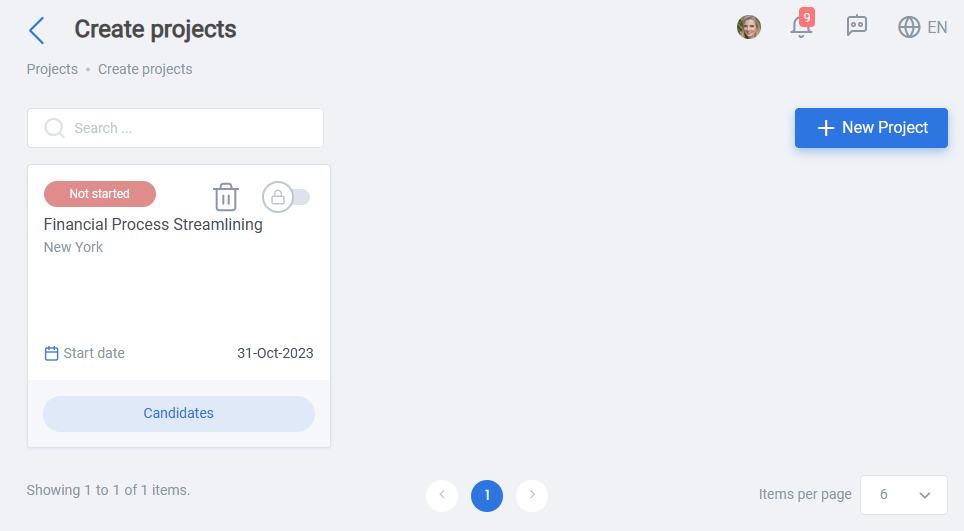
Afterward new projects can be created by clicking on the “New project” button. Previously created projects can also be view on this page:
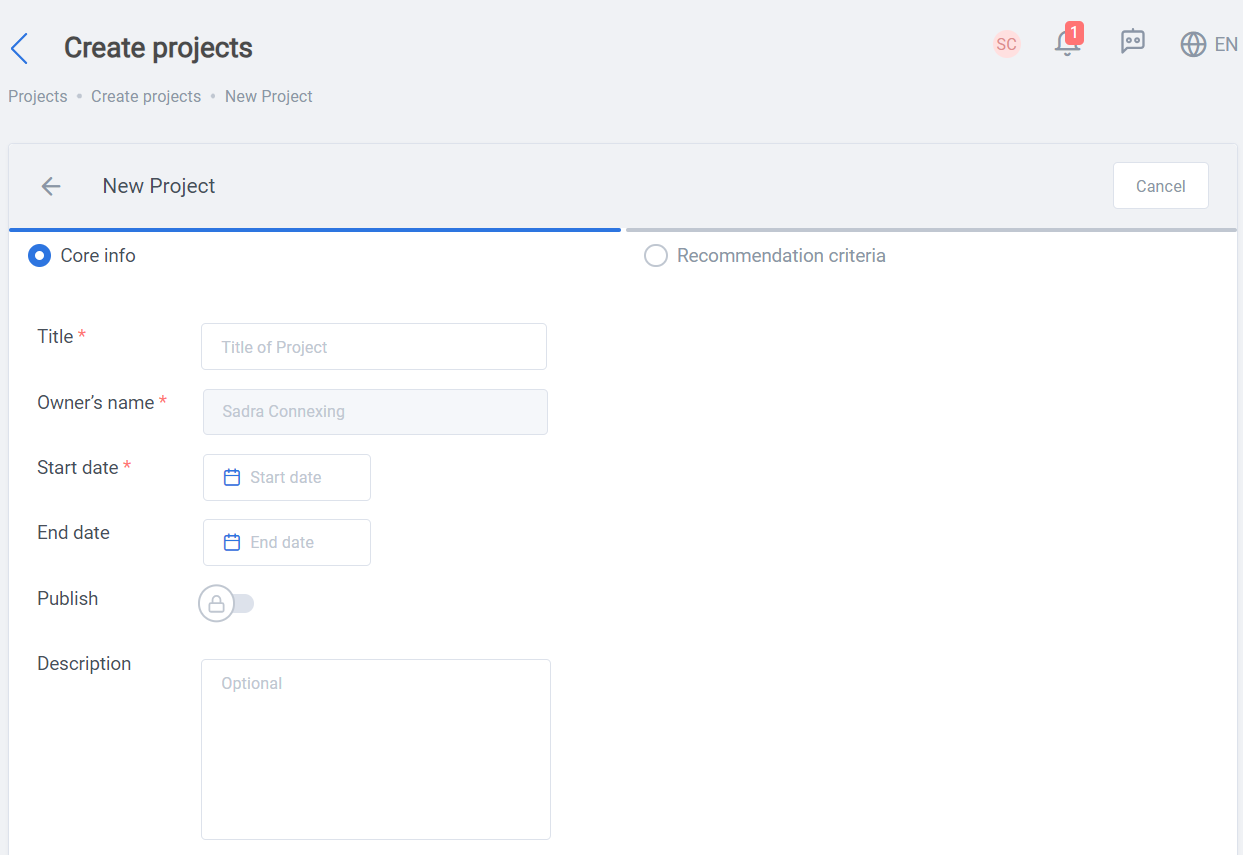
There are two main tabs inside the “Create project” page, Core info and Recommendation criteria, as you can see below inside the core info there are some mandatory (differentiated by * sign) and some optional properties:
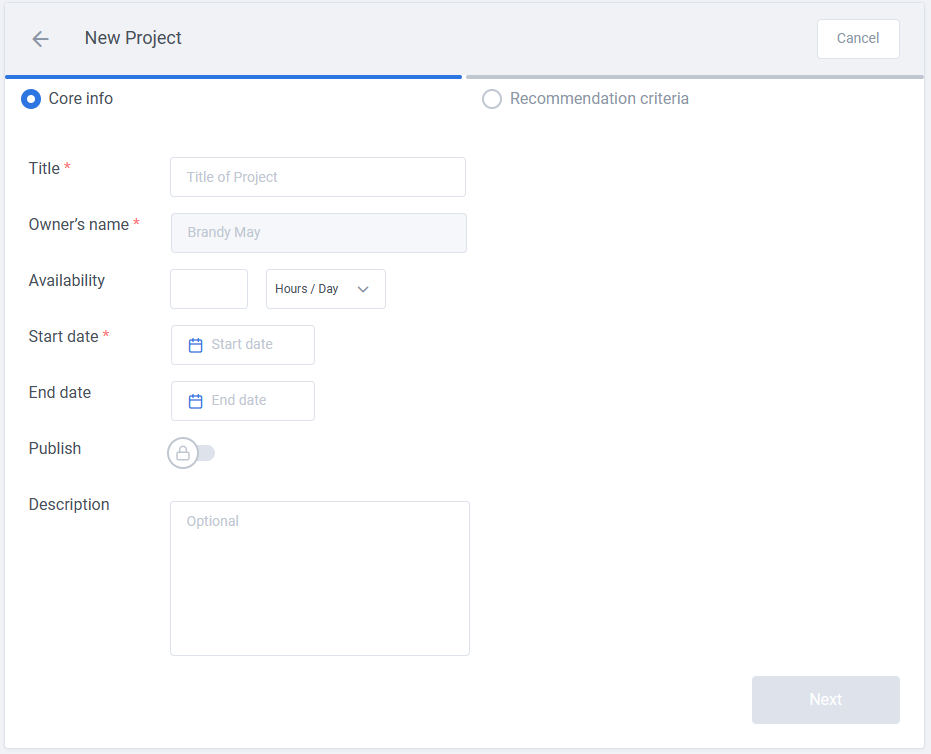
Title of Project, owner’s name, and Start Date are mandatory.
Availability, End Date, publish, Description are the optional part of Core info. If Publish switch is on, the project will also appear on suitable employees’ recommended projects on their homepage.
Recommendation criteria is important part of the project creation, all of properties in this tab is mandatory, as you can see below, the employees language, location, education, YOE, and Top five skills are the essential parts:
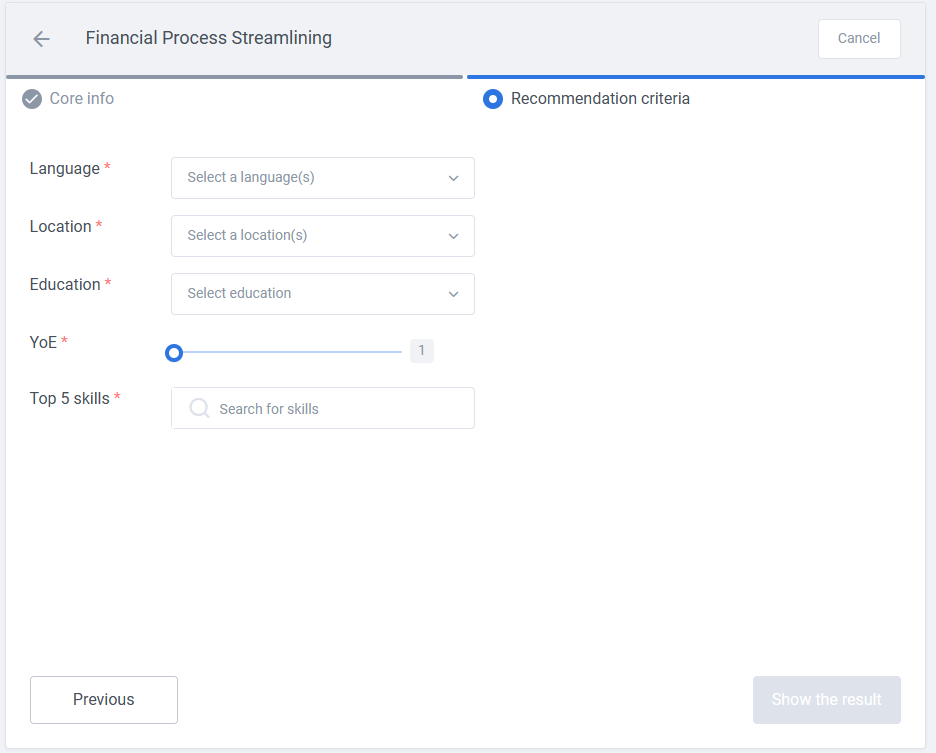
After selection you would create a project and you will also have the Real-Time recommendation.
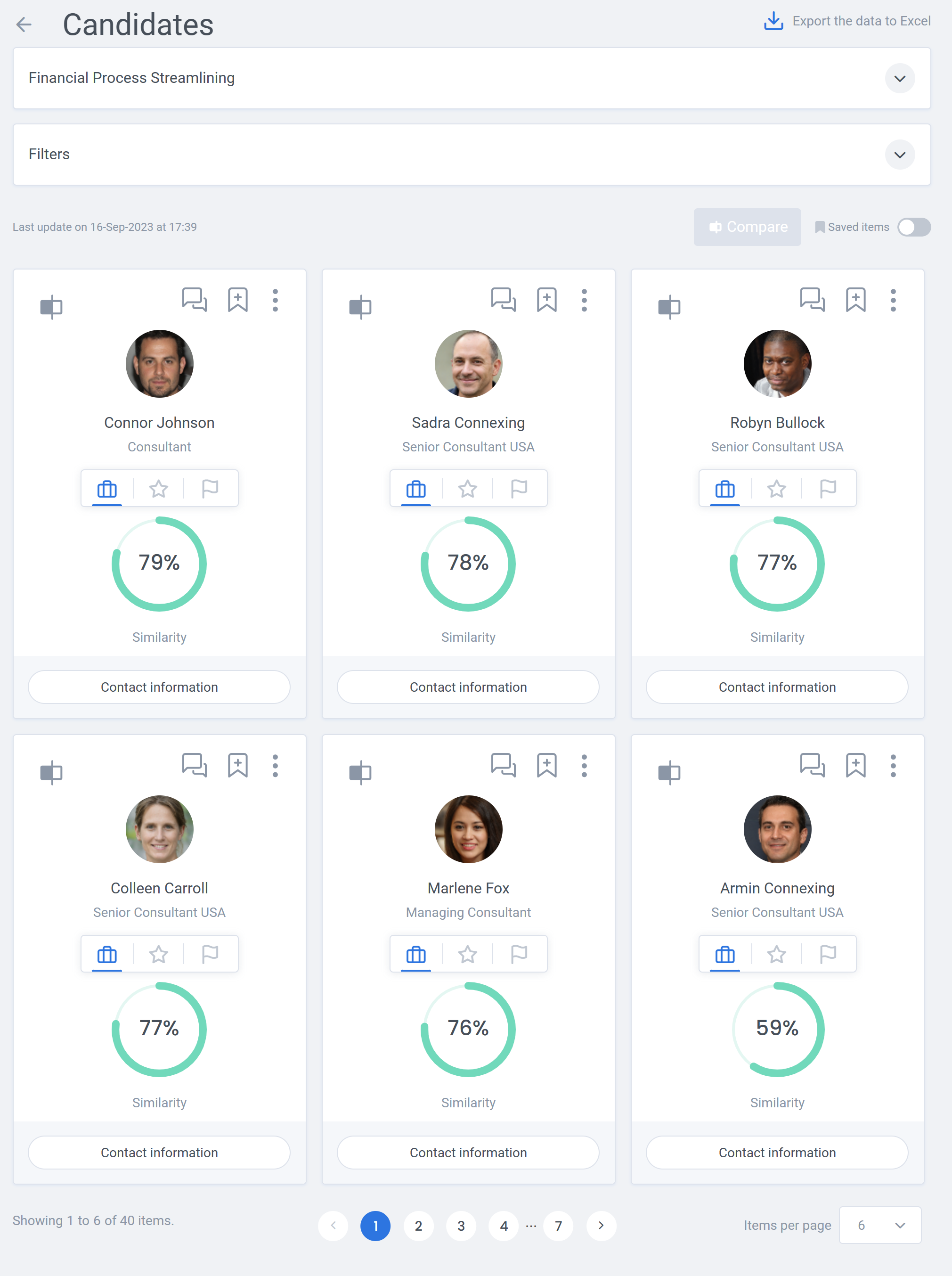
This is the result for an example search for a Financial Process Streamlining: