Security setting: Security profiles
About Course
Security profile controls employees’ access to the data of the company and features of the ConneXing. It can later be used in creating users for employees.
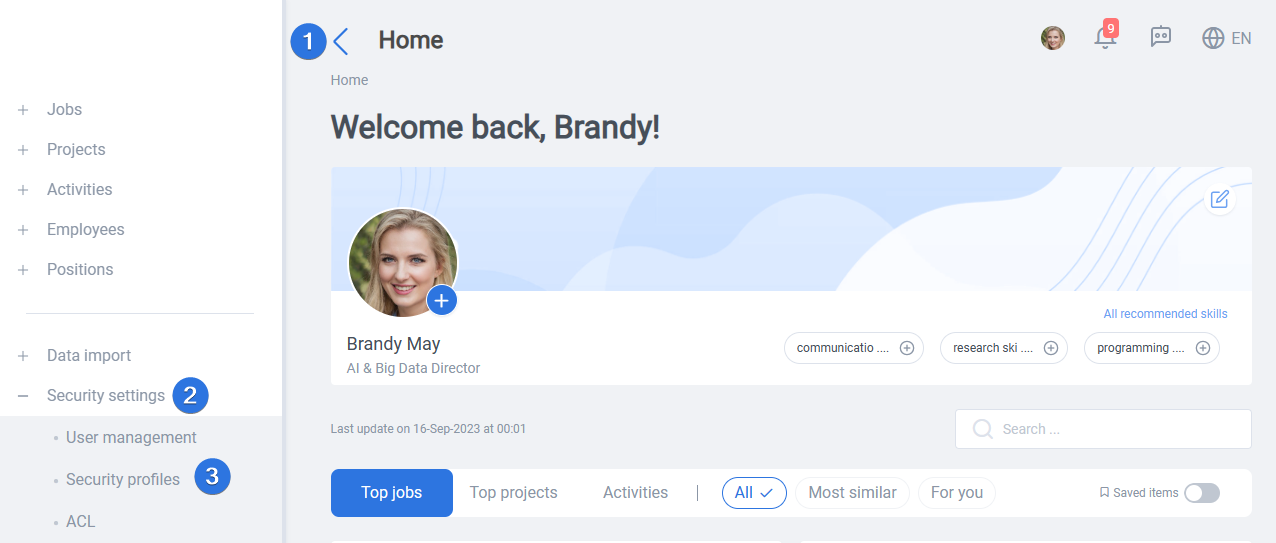
It can be accessed by opening the side menu >> Security settings >> Security profiles, as seen below:
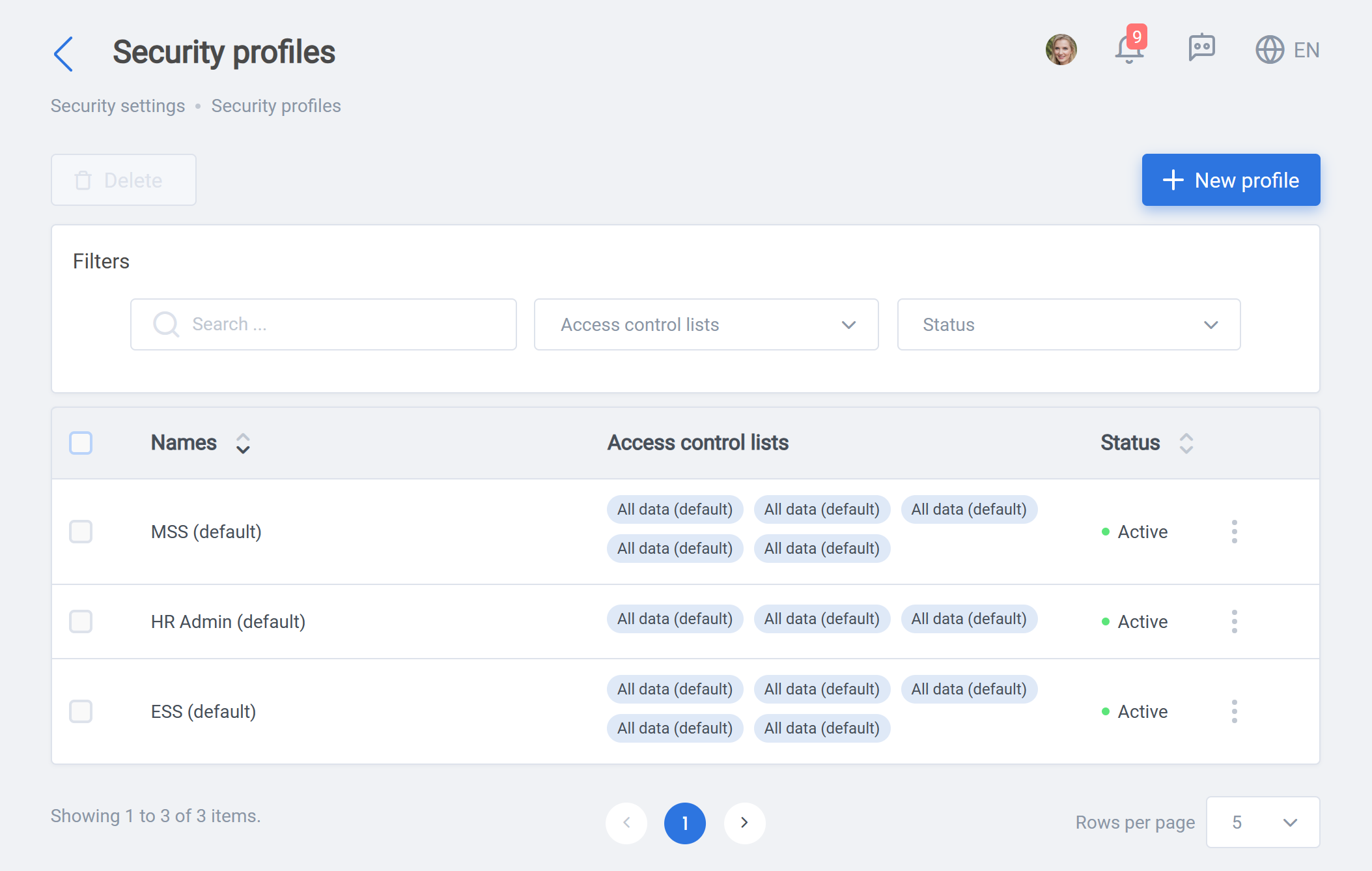
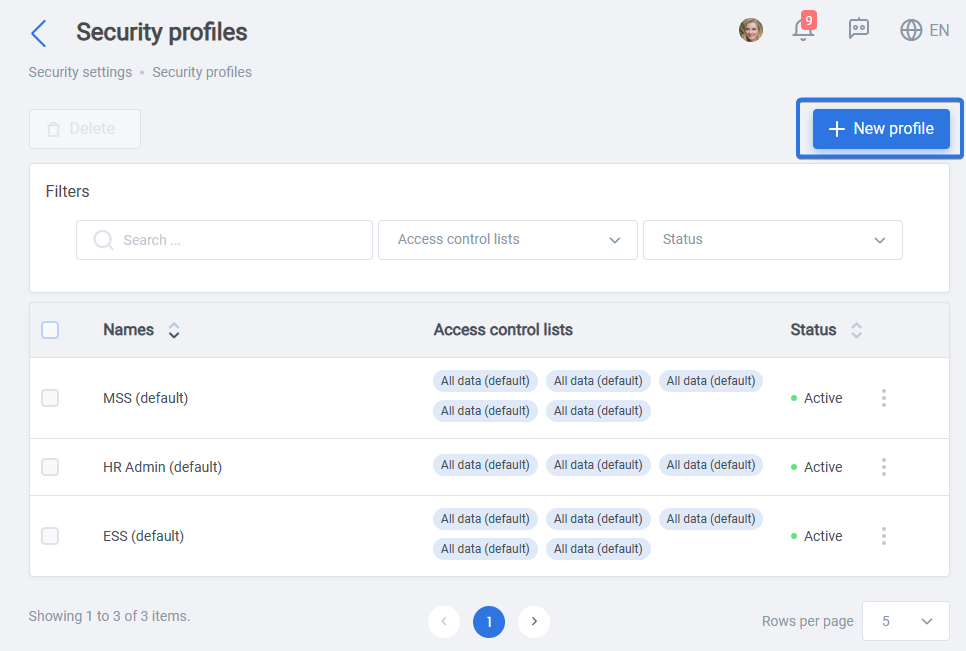
Security profile contain three main default profile type, which are HR, MSS, ESS. However, it is possible to add a new profile type using the “New profile” button:
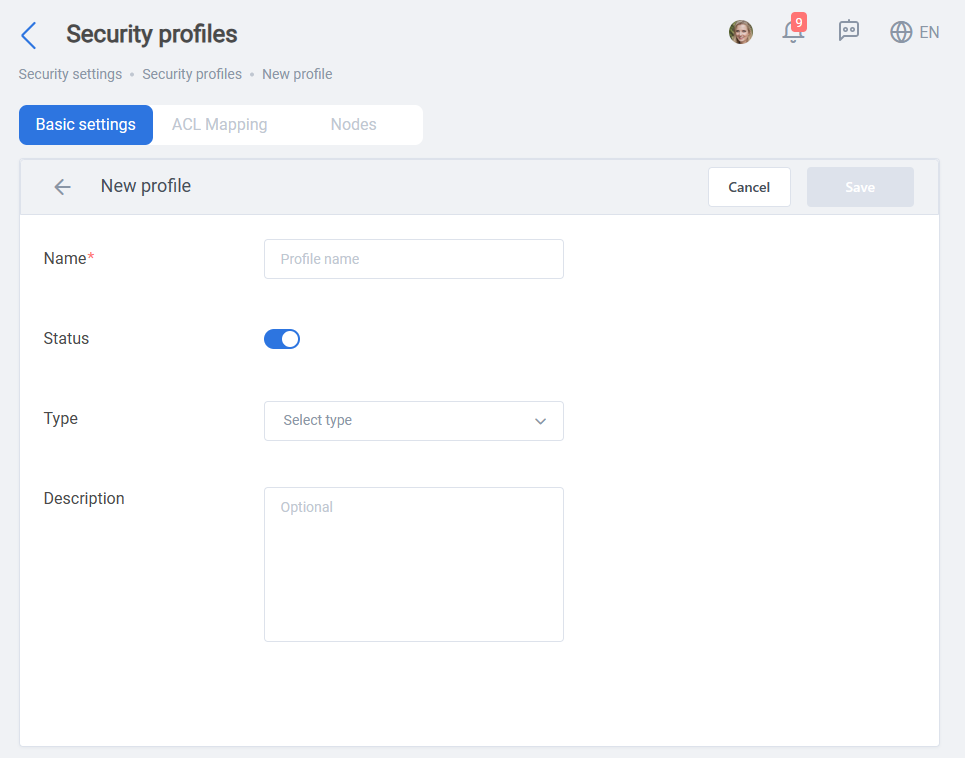
Within the new profile page at first you need to fill name, status, Type and Description at “Basic settings” tab:
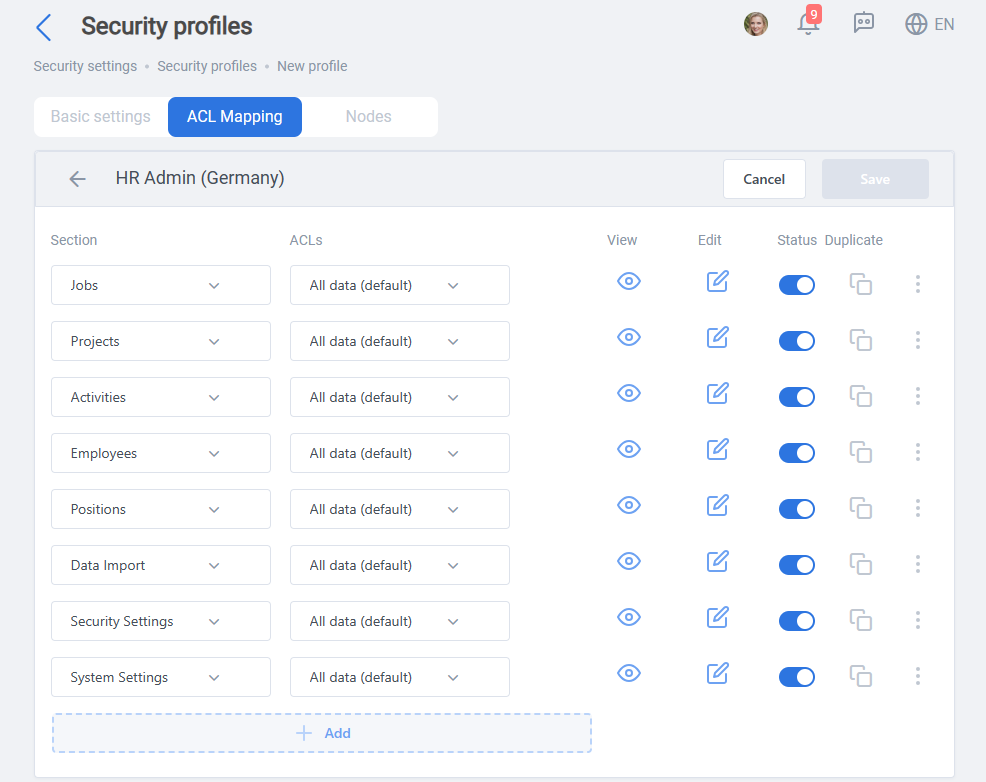
After that you can configure access of the employee about every and each section of ConneXing and part of company’s data, in “ACL Mapping” tab:
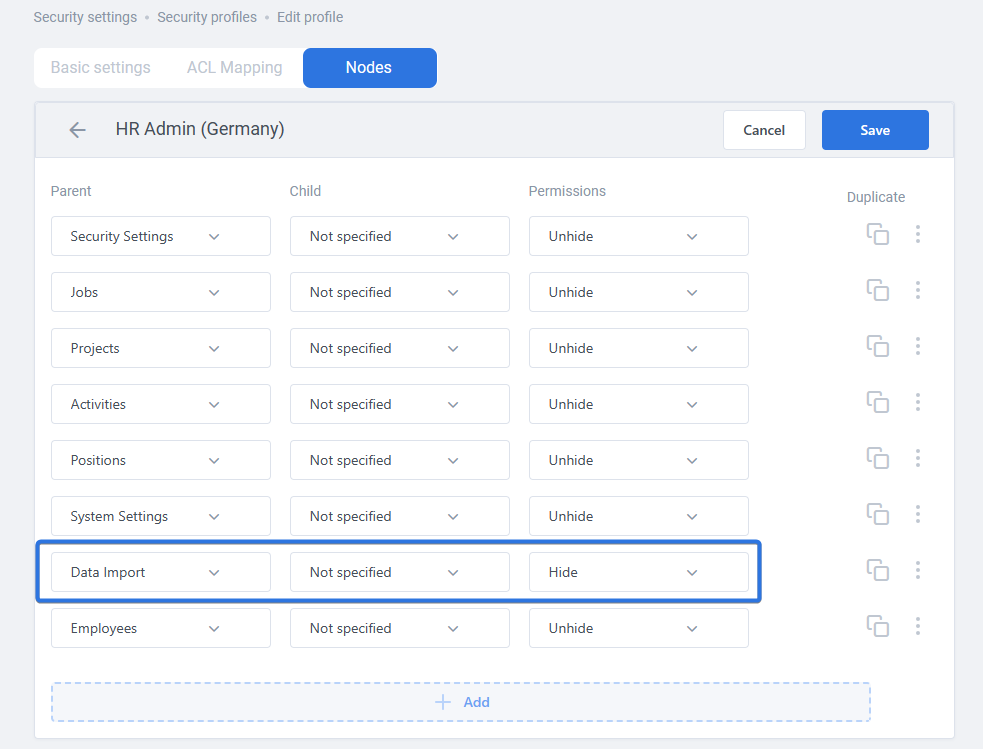
Finally, you can limit access to each section of the ConneXing within the “Nodes” tab. As an example, in the image below, data import section is hidden for the security profile: